11 Best Vibe Coding Tools for 2026 – Tested & Compared

Our guides are based on hands-on testing and verified sources. Each article is reviewed for accuracy and updated regularly to ensure current, reliable information.Read our editorial policy.
At its core, vibe coding lets you describe an application in plain language and let an AI system build it. Instead of wrestling with syntax, you converse with a model that generates code, sets up the database, wires authentication and even deploys the app.
The appeal is obvious: it lowers the barrier to software creation and frees experienced developers to focus on architecture and business logic. Research shows that citizen developers already outnumber professionals, and tools like Lovable have reached a $6.6 billion valuation with millions of users and Fortune 500 adoption.
Yet success requires understanding the strengths and limitations of each tool—some excel at UI generation, others at backend logic or debugging. The following ranking draws on hands‑on testing and publicly reported data to help you choose wisely.
How We Ranked These Vibe Coding Tools
To rank these vibe coding tools, I considered:
- End‑to‑end capability: Does the tool generate a functional app from scratch, or does it act primarily as a helper within an existing codebase? Tools that cover the full stack with minimal setup scored higher.
- Context awareness and debugging: Platforms that understand multi‑file projects and offer clear error recovery received bonus points. Tools limited to single‑file context were ranked lower.
- Ease of use: How approachable is the interface for non‑developers? Chat‑based builders with clear previews ranked higher than those requiring complex configuration.
- Integration and extensibility: Support for popular services like Supabase, Stripe, GitHub and Figma is crucial for real‑world projects.
- Pricing and free tiers: Generous free plans and reasonable paid tiers matter, especially when prompts can consume a lot of tokens.
Types of Vibe Coding Tools
To keep comparisons fair, I grouped tools into four categories:
| Category | Description | Tools |
| Full‑Stack Web Builders | Chat‑based, browser‑based tools that generate both frontend and backend code, often with integrated hosting. | Lovable, Bolt, Tempo Labs, Memex |
| IDE‑Integrated Assistants | Dedicated editors or plugins that work inside your existing IDE, providing AI coding assistance with context awareness. | Cursor, Windsurf, Replit, GitHub Copilot |
| UI‑Focused Generators | Tools that focus on rapid UI/component generation rather than full apps. | v0 by Vercel |
| Command‑Line Agents | CLI tools that accept prompts and return code snippets, often integrating with multiple models and requiring more technical skill. | Claude Code, Memex, OpenCode |
The attached infographic illustrates how these categories relate to the major players.
Top 11 Vibe Coding Tools for 2026
1. Lovable – Balanced Full‑Stack Builder
Best for: newcomers who want a polished app with minimal setup.
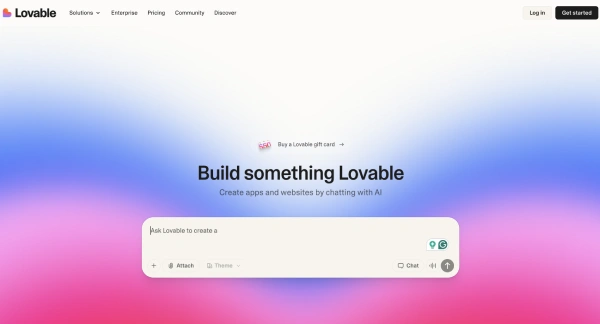
Lovable leads most lists because it delivers a balanced experience across design, functionality and deployment. It generates good designs without heavy prompting and includes guided explanations of each step.
Lovable integrates with Supabase for authentication and data storage and allows exporting code to GitHub for further customization. Lovable 2.0 introduced Lovable Cloud—a built‑in backend that reduces dependency on Supabase—and an agentic mode for autonomous multi‑step edits.
Lovable reached US$100 million in annual recurring revenue in just eight months and has since grown to a $6.6 billion valuation, with Fortune 500 adoption and millions of users. In March 2026, it became the first vibe coding tool to add built‑in penetration testing, automatically scanning generated apps for security vulnerabilities.
Pros:
- Smooth end‑to‑end flow: After a single prompt, the engine outlines the pages and features, then generates code while explaining its decisions. This fosters trust and teaches non‑technical users about frontend and backend boundaries.
- Integrated backend: Supabase integration means user authentication and database scaffolding come out‑of‑the‑box. Lovable Cloud (new in 2.0) further reduces setup friction. You can export working code to GitHub and refine it with other tools like Cursor.
- Built‑in security scanning: Lovable now automatically runs penetration tests on generated apps—an industry first among vibe coding tools.
- Generous free tier: A free plan offers 30 credits per month (5/day) and paid plans from $25/month.
Cons:
- High credit burn: Each request consumes tokens quickly, so complex apps require paid plans.
- Code quality at scale: Generated code can trend toward overly complex patterns in larger projects, so human review before production remains essential.
2. Emergent – AI-Powered Full-Stack Builder
Best for: builders who want to quickly generate full-stack apps, tools, and prototypes with AI agents.
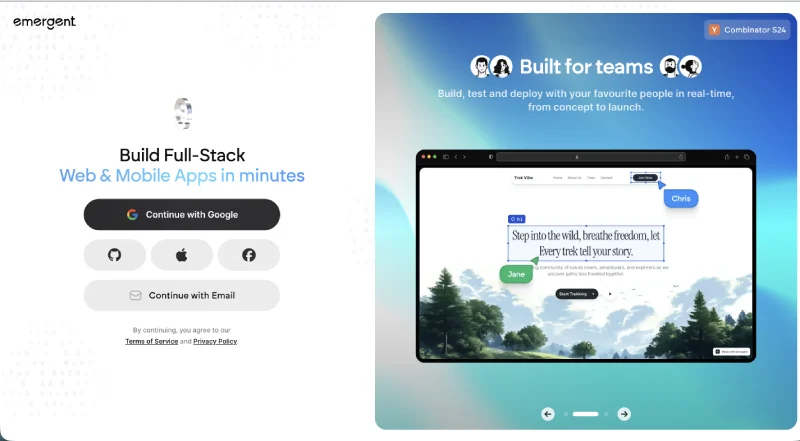
Emergent stands out as one of the first truly agentic vibe coding platforms, designed to turn simple prompts into production-ready applications. Instead of just generating UI or snippets, Emergent orchestrates multiple AI agents to handle frontend, backend, logic, and deployment together.
Unlike traditional builders, Emergent focuses on speed + scale, enabling users to go from idea to working product in under an hour. I even built a mental wellness game by simply describing the concept in English – the platform handled the structure, logic, and UI, making iteration incredibly fast.
Emergent has rapidly scaled to $100M ARR in just 8 months, doubling from $50M in a single month, signaling massive adoption. With 6M+ builders across 190+ countries creating 7M+ apps, it’s already powering real-world businesses and workflows at scale.
Emergent is gaining traction for its ability to automate entire development workflows, not just assist coding.
Pros:
- True full-stack automation: From a single prompt, Emergent generates frontend UI, backend logic, authentication, and workflows—reducing the need for manual setup.
- Agent-based architecture: Multiple AI agents collaborate behind the scenes to handle different parts of development, making outputs more complete compared to single-model tools.
- Rapid prototyping: You can build apps, internal tools, or even games (like a mental wellness game) in minutes, making it ideal for testing ideas quickly.
- Voice + prompt-based building: Supports both typed and voice inputs, enabling hands-free development and faster iteration cycles.
- GitHub integration & code ownership: Export your projects and continue refining them with other tools or teams.
Cons:
- Prompt dependency: Output quality depends on how clearly you describe requirements, especially for complex workflows.
- Evolving ecosystem: As a newer platform, some advanced edge-case customizations may require iteration or manual refinement.
- Credit-based usage: Heavy usage or complex builds can consume credits quickly on lower-tier plans.
Pricing:
Free plan available. Paid plans start at $20/month, with higher limits, more credits, and advanced capabilities for building and scaling applications.
3. Bolt – Flexible and Integration‑Friendly
Best for: builders who need flexibility and integration with external services.
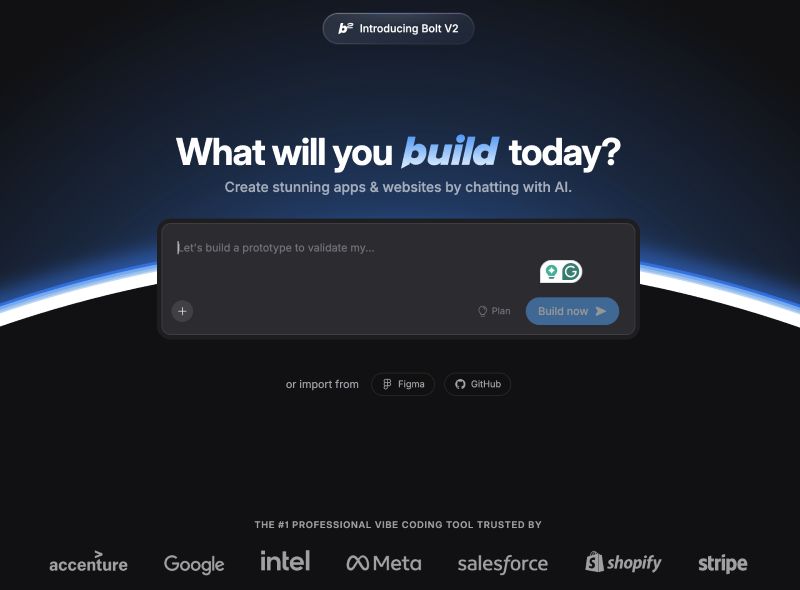
Bolt shares the throne with Lovable but leans toward power users. Its “prompt enhancement” feature turns rough ideas into structured requirements and it integrates with Stripe for payments, Figma for design import and Supabase for the backend.
Bolt offers generous free tokens (1 million per month) and targeted file controls that let you lock or target specific files when modifying the code. It is also co‑sponsoring the 2026 Cursor VibeJam, cementing its role as the go‑to rapid prototyping partner in the ecosystem.
Strengths:
- Flexible workflow: You can modify specific files, lock working sections and install dependencies via an integrated terminal.
- Rich integrations: Direct support for Figma, Supabase, GitHub and Stripe means you can embed prototypes, backends and payments without leaving the platform.
- Generous free tier: 1 million tokens/month (150 k/day) with extra tokens for completing an onboarding questionnaire.
Weaknesses:
- Slow generation: You often have to wait while the model builds your app. Bring another task to work on while Bolt thinks.
- Prototype‑first design: Bolt excels at demos and proofs‑of‑concept, but database integration is less seamless than Lovable’s Supabase pairing for production apps.
Read the complete review of the Bolt vibe coding platform.
4. Cursor – AI‑Powered IDE for Debugging and Refinement
Best for: developers who want to inspect and improve vibe‑generated code.

Originally designed as an AI‑enabled IDE, Cursor shines when you need to dive into the code. DreamHost calls it “the OG of vibe coding” and notes that it requires no API key.
Users praise its interface and ability to make repo‑wide changes with minimal regression. I used Cursor to sync a vibe‑coded eShop from Lovable and asked the agent to suggest improvements; it returned a detailed breakdown covering performance, UX, and security. As of 2026, Cursor has surpassed 1 million users and reportedly $2 billion in annual recurring revenue, making it the most commercially successful AI coding tool.
Pros of Cursor:
- Deep context: Cursor reads your entire codebase and provides precise suggestions, including the number of lines added or edited.
- Interactive debugging: You can ask “why is this function slow?” or “refactor this to use React hooks” and get clear explanations and code changes.
- Background agents: Cursor’s background agents handle parallel tasks in cloud VMs, freeing you to continue editing while autonomous work runs in the background.
- Affordable entry: Free plan with a two‑week pro trial, 200 completions and 50 requests/month; paid plans start at $20/month.
Cons of Cursor:
- Steeper learning curve: Cursor assumes familiarity with local development tools—you need to run a server to preview changes.
- Subscription required for frontier models: Access to cutting‑edge models costs extra.
5. Replit AI Agent – Planning and Collaboration
Best for: teams and learners who want an integrated cloud IDE with AI planning.
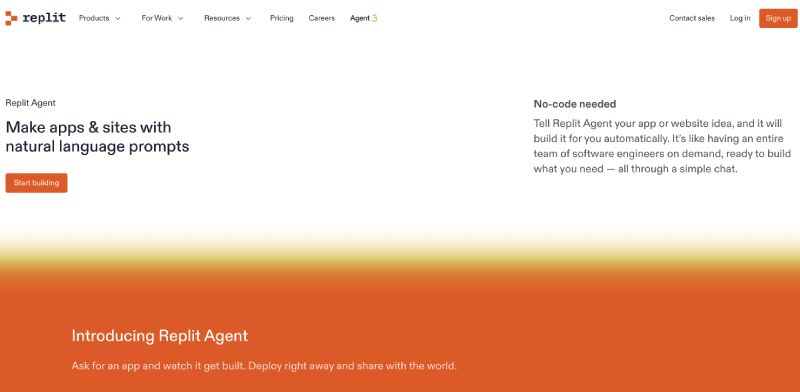
Replit has long been a browser‑based IDE, and its AI Agent now brings vibe coding to this platform. Its AI agent asks core questions up front to tailor the development strategy.
It offers deep database controls, multiple deployment options and collaborative editing. For many projects, you can plan, build and deploy without leaving your browser.
Pros of Replit:
- Planning first: The agent asks what type of app you’re building before generating code, improving prompt accuracy.
- Rich extras: Database schema editing, authentication controls, and security scanning sit alongside AI suggestions.
- Team‑friendly: Multiple developers can collaborate in real time; the platform offers various deployment environments (static, autoscale, reserved VM).
Cons of Replit:
- Occasional inaccuracies: Sometimes the agent says it fixed an issue when it hasn’t.
- Paid tiers for full features: Free plan includes 10 checkpoints; advanced AI features require $25/month.
6. Claude Code – Benchmark‑Leading Reasoning Agent
Best for: experienced developers who need deep reasoning, multi‑file codebase work, and top benchmark performance.

Anthropic’s Claude Code runs in the terminal and has evolved into one of the most capable coding agents available. It scores 80.8% on SWE‑bench Verified—the industry‑standard benchmark for real‑world software engineering—and ships a 1 million token context window, giving it the ability to hold an entire monorepo in context simultaneously.
Claude Code plans the approach, writes code across multiple files, verifies it works, and integrates directly with Git to stage changes, write commit messages, create branches and open pull requests. It also supports MCP (Model Context Protocol), letting it read design docs in Google Drive, update Jira tickets, and pull data from Slack within a single workflow.
Pros:
- Best‑in‑class benchmarks: 80.8% on SWE‑bench Verified with a 1M token context window—strong for large‑scale multi‑file refactoring, architecture changes, and security audits across entire codebases.
- Multi‑file agentic editing: Claude Code plans, writes, and verifies code changes across many files in a single session—no longer limited to single‑file tasks.
- Native Git integration: Stages changes, writes commit messages, creates branches, and opens pull requests directly from the terminal.
- MCP support: Connect Claude Code to external tools—Jira, Slack, Google Drive, custom APIs—for end‑to‑end agentic workflows.
- Shell integration: Works over SSH for remote development; available in terminal, IDE, desktop app, and browser.
- Flexible billing options: Pay‑as‑you‑go or subscription plans available.
Cons:
- No visual preview: Everything happens in the terminal (or IDE extension)—there is no browser‑based UI builder or design canvas.
- Steeper learning curve: Best suited for developers comfortable with command‑line workflows; non‑technical users will find it intimidating compared to browser‑based builders.
7. v0 by Vercel – UI‑Focused Generator
Best for: designers and product managers who need attractive interfaces fast.
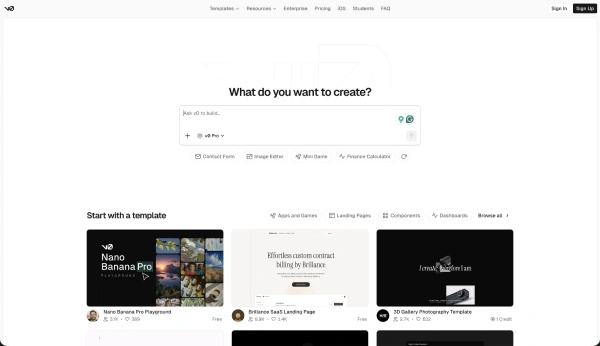
Vercel’s v0 tool excels at translating prompts into modern, responsive UI components. The platform breaks down each page and shows the technologies it will use (e.g., SQL for databases).
You can edit code manually or adjust designs through built‑in controls, then deploy directly to Vercel. Over 3.5 million developers have used v0’s agent. Keep in mind that v0 is a component generator, not a full app builder—it produces polished React interface elements, but backend logic must be wired up separately.
Pros of v0:
- Clear breakdowns: v0 lists pages, features and implementation technologies before generating code, giving you a high‑level view of what’s being built.
- Beautiful outputs: It generates stylish React components and responsive designs.
- Smooth deployment: Projects deploy directly to Vercel for instant previews; paid plans start at $20/month with $5 free credit.
Cons of v0:
- Limited scope: v0 focuses on front‑end components and doesn’t handle complex backend logic—it’s a UI generator, not a full‑stack builder.
- Restrictive free plan: Free tier includes only a small credit allowance.
8. Windsurf – IDE Plugin with Fast Context
Best for: developers who want an AI pair‑programmer inside their editor.
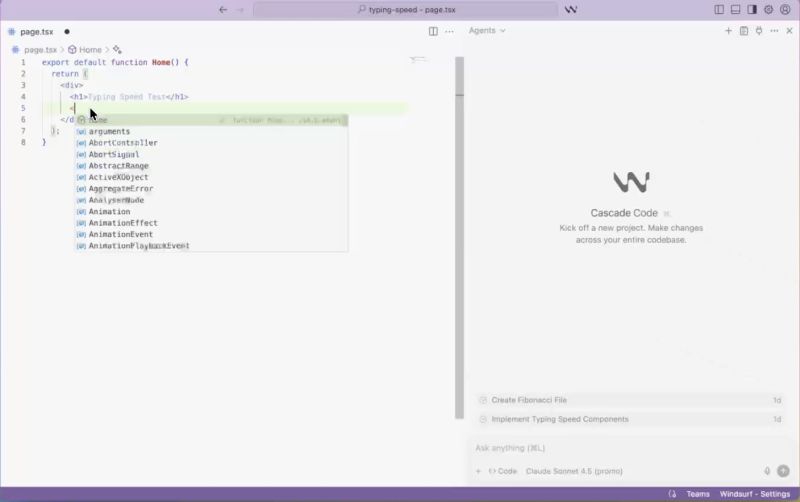
Windsurf is a capable AI‑native IDE built around the Cascade agentic system. It scans existing codebases, tags key elements, and learns your coding style over time.
Ownership update: Windsurf had a dramatic 2025. OpenAI’s rumored $3 billion acquisition fell through, Google DeepMind hired Windsurf’s CEO and co‑founder for $2.4 billion in an acquihire, and Cognition AI (makers of the autonomous coding agent Devin) ultimately acquired the product and remaining team in December 2025.
Cognition plans to merge Windsurf’s IDE capabilities with Devin for a fully autonomous development platform. The product continues to operate normally for now, but long‑term pricing and feature direction remain uncertain.
Pros of Windsurf:
- Speed and style learning: The Cascade agent quickly analyzes large codebases and adapts to your coding conventions.
- Built‑in deployment: Windsurf offers “App Deploys” for direct deployment via Cascade.
- Multi‑IDE support: Plugins exist for VS Code, JetBrains, Vim, and more.
- Competitive pricing: Windsurf Pro costs $15/month—lower than Cursor Pro at $20/month.
Cons of Windsurf:
- Ownership uncertainty: The Cognition acquisition raises open questions about future pricing, free tier survival, and whether Windsurf will remain a standalone IDE or be absorbed into Devin. Developers building long‑term workflows around Windsurf should factor in this risk.
- Wordy outputs: The agent sometimes produces verbose responses and hesitates if prompts are vague.
9. GitHub Copilot – Context‑Aware Autocomplete
Best for: developers seeking inline code suggestions in familiar IDEs.
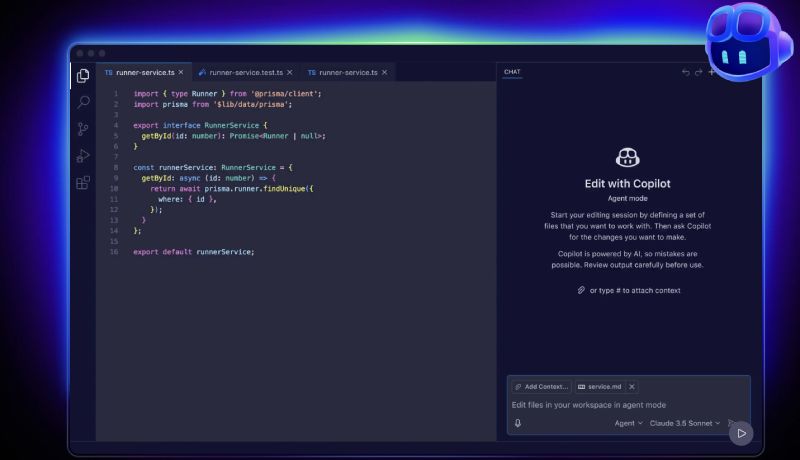
GitHub Copilot has become synonymous with AI coding. It achieved a 46% code‑completion rate in early 2025 and is used regularly by 26% of developers.
It integrates directly into Visual Studio Code and JetBrains IDEs, offering suggestions ranging from single lines to entire functions based on natural‑language comments.
Strengths:
- Seamless integration: Copilot lives inside your editor, making it easy to accept or reject suggestions as you type.
- Broad language support: Trained on billions of lines of code, it handles multiple languages and frameworks.
- Coding agent for PRs: The Copilot coding agent converts GitHub issues into pull requests—ideal for teams already embedded in the GitHub ecosystem.
- Best value entry point: At $10/month, it is the most affordable serious AI coding assistant on this list.
Weaknesses:
- Limited context window: Copilot sometimes loses track of large projects and may require additional prompting.
- Privacy concerns: Because it’s trained on publicly available code, some enterprises worry about intellectual property and licensing issues.
Read the comprehensive review of GitHub Copilot.
10. Tempo – Error‑Fixing and Product Design
Best for: teams that need a visual product design workflow with generous error correction.
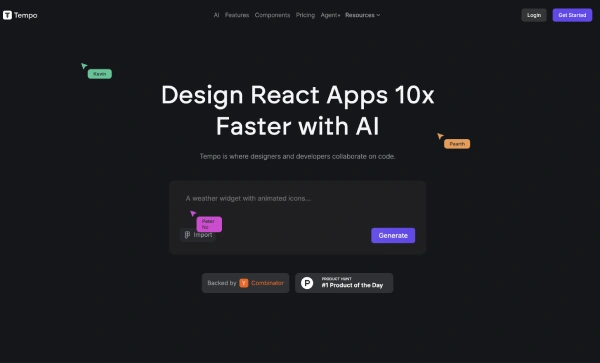
Tempo acts as a bridge between product and engineering. It generates a Figma‑like board showing all screens and user flows and offers tabs for requirements (PRD), design editing and code.
The platform doesn’t charge tokens when fixing errors, which encourages experimentation.
Pros of Tempo Labs:
- Visual design system: The PRD tab outlines core features and user flows, while the design tab lets you adjust layouts as if you were in a design app.
- Error fixing doesn’t consume credits: You can iterate without burning tokens when resolving bugs.
- Human‑powered option: For a fee, Tempo’s team will implement features for you at a professional pace.
Cons:
- Limited tech stack: Supports only React, Vite, and Tailwind.
- Expensive for serious use: Paid plans start at $30/month and include 150 prompts.
11. Memex – Local, Multi‑Modal Creator
Best for: adventurous builders who want maximum control and offline capability.
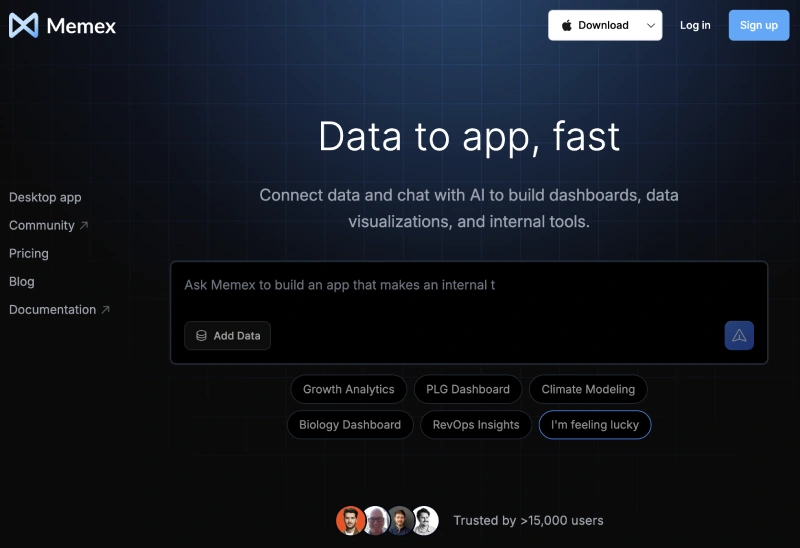
Memex runs entirely on your machine. It creates virtual environments, installs dependencies, and stores everything in local directories.
You can choose how many reasoning steps the agent takes and even adjust the effort required for reasoning.
It’s the only tool on this list that lets you vibe code anything—from APIs to 3D games—but it’s also the most experimental.
Pros of Memex:
- Runs locally: No reliance on remote servers; you have full control over your environment.
- Unlimited domains: Build web apps, APIs, games, and machine‑learning projects.
- Custom reasoning: You can limit or expand the number of steps and the level of introspection the model uses.
Cons of Memex:
- Complex setup: Installing dependencies and managing virtual environments can trigger antivirus warnings.
- Unclear interactions: Running on your OS may conflict with other services, so using a virtual machine is recommended.
Tools to Watch in 2026
The vibe coding landscape now includes over 138 tools. Three emerging platforms are gaining serious traction and may feature in future rankings:
- Google AI Studio: A free, browser‑based builder powered by Gemini. Ideal for prototyping with zero cost, especially for teams already using Google Cloud and Firebase. The catch: you’re locked into Google’s ecosystem, and Firebase costs can escalate at production scale.
- Emergent: An agent‑driven builder focused on production‑ready full‑stack apps. Gaining attention for going beyond prototyping with a stronger backend generation than most browser‑based tools.
- Manus: A broader AI agent platform that handles end‑to‑end project automation from research to deployment. Best for teams that want to automate not just code, but the surrounding workflow—tickets, documentation, and testing.
How to Choose the Right Vibe Coding Tool
When choosing a vibe coding tool, consider these factors:
- Purpose and scope: Are you prototyping a simple app or building a complex product? Full‑stack builders like Lovable and Bolt excel at quick prototypes, while IDE assistants like Cursor and Claude Code are better for complex, long‑term projects with large codebases.
- Technical comfort: Non‑developers may prefer chat‑based web platforms. Developers comfortable with the command line can leverage Claude Code or Memex for greater control and best‑in‑class benchmark performance.
- Collaboration needs: For team projects and education, Replit’s collaborative editing and deployment options are unmatched.
- Budget: Review free tiers and token limits. Tools like Bolt offer large free quotas, whereas v0’s free plan is restrictive. GitHub Copilot at $10/month remains the most affordable serious option.
- Security and compliance: Enterprise users should prioritize tools that allow code export for audits and that integrate authentication and access controls. Lovable now ships built‑in penetration testing. AI‑generated code can still contain vulnerabilities, so always perform security reviews before production deployment.
- Product stability: With acquisitions reshaping the market (Windsurf changed hands multiple times in 2025), consider the ownership and roadmap stability of a tool before building core workflows around it.
Frequently Asked Questions (FAQs)
What is vibe coding?
Vibe coding means using natural‑language prompts to build software with the help of AI. You describe what you want, and the tool generates the code, sets up the database, and often deploys the app.
Which Vibe Coding tool is best for beginners?
Lovable offers the most balanced experience with clear explanations and integrated backend support. Its guided flow helps newcomers understand the difference between frontend and backend. Google AI Studio is also worth trying as a completely free starting point.
Can developers use Vibe coding tools for real projects?
Yes, but you should treat them as assistants rather than replacements. Tools like Cursor and Claude Code integrate into IDEs and terminals, support large multi‑file codebases, and lead real‑world coding benchmarks—but you still need to review and secure the code. AI‑generated code can introduce vulnerabilities, so human oversight is essential.
Are vibe coding tools free?
Most offer free tiers with daily or monthly limits. Bolt’s free plan includes one million tokens per month, whereas Lovable’s free plan offers 30 credits. Google AI Studio is free with no token cap for prototyping. Advanced features usually require subscriptions.
How do I transition from a vibe‑generated prototype to production?
Export your code to a version‑control system like GitHub, then use an IDE assistant (e.g., Cursor or Claude Code) to refine and test across the full codebase. Perform thorough security and performance reviews, and consider deploying to trusted platforms such as Vercel or Replit for scalability and monitoring.
What happened to Windsurf?
Windsurf had a turbulent 2025. OpenAI’s $3 billion acquisition offer expired, Google DeepMind hired Windsurf’s CEO and co‑founder for $2.4 billion, and Cognition AI ultimately acquired the product and remaining team. Windsurf continues to operate normally, but the long‑term roadmap is tied to Cognition’s plans to integrate it with the Devin autonomous coding agent.
Which vibe coding tool has the best benchmarks?
Claude Code leads on raw coding benchmarks with 80.8% on SWE‑bench Verified and the largest publicly available context window at 1 million tokens. Cursor leads on day‑to‑day developer experience with its visual multi‑file editing and background agents. Most professional developers use both in combination.
About Himanshu Tyagi
At CodeItBro, I help professionals, marketers, and aspiring technologists bridge the gap between curiosity and confidence in coding and automation. With a dedication to clarity and impact, my work focuses on turning beginner hesitation into actionable results. From clear tutorials on Python and AI tools to practical insights for working with modern stacks, I publish genuine learning experiences that empower you to deploy real solutions—without getting lost in jargon. Join me as we build a smarter tech-muscle together.