How to Create a Poll in Gmail Email for Free

Our guides are based on hands-on testing and verified sources. Each article is reviewed for accuracy and updated regularly to ensure current, reliable information.Read our editorial policy.
In this tutorial, you will learn how to create a poll in Gmail for free. Natively, Gmail doesn’t offer any option or feature to conduct a poll in its Compose window.
However, using the method shared in this tutorial, you can quickly set up unlimited polls to gather feedback from your peers.
I will use a free Chrome extension known as MixMax to create polls in Gmail. Once you install this Chrome extension, you will get the option to add polls.
The best part is that this Chrome extension also provides other handy features such as scheduling Gmail emails and adding rich media such as GIFs, etc.
Also Read: Fake Google Search Suggestion Generator: Foogle
How to Create a Poll in Gmail for Free
Polls are very handy for gathering quick feedback from your team. And since Gmail doesn’t offer any native option to conduct any survey or poll, you will have to use a third-party solution.
The main highlight of MixMax is that it also sends you email notifications every time a participant submits a response.
You can also choose to show or hide poll results with the participants.
Let’s see the steps to create polls in Gmail using the MixMax Chrome extension without further ado.
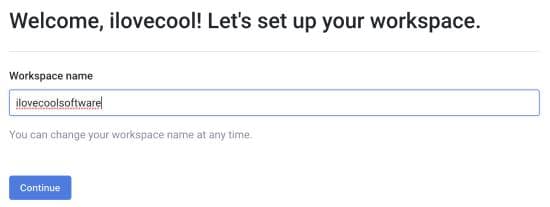
Step 1: Visit MixMax and create a free account to create a workspace, as shown in the screenshot below.
Also Read: How To Listen To Twitch Audio-Only In The Background
After setting up your workspace, it will prompt you to install the MixMax Chrome extension.
Please note that MixMax will prompt you to authenticate your Gmail ID and seek some permissions during this point. To continue ahead, you will have to allow all the permissions.
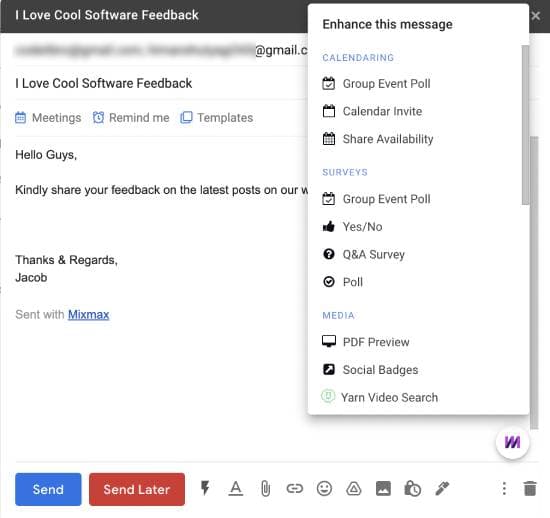
Step 2: Installing MixMax will take you to your Gmail account and start an onboarding tutorial. If you wish, you can skip this onboarding tutorial, but I recommend you go through it.
Also Read: How To Flip An Image in Chrome [Rotate An Image In Chrome]
Once the tutorial is done, you will see the MixMax icon on your Gmail Compose window. From this icon, you can access all the features of MixMax, such as creating polls, Q&A surveys, and adding rich media.
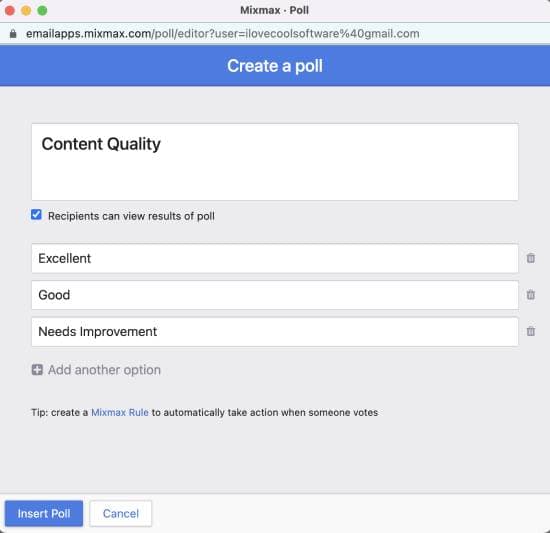
Step 3: To create polls in Gmail, click the MixMax icon and select the Poll option. After you add a Poll to your email, it opens a new window where you can specify the question and its options, as shown in the screenshot below.
Also Read: How to Change YouTube Double-Tap Skip Time
Step 4: Once you specify the poll details, click the Insert Poll button to add it to your email. The added poll should look something like this.
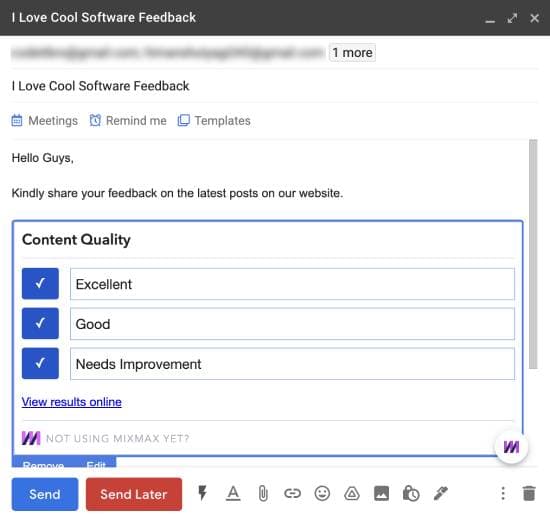
You can send the poll immediately or schedule it for later. Your peers can now open their emails and click on any options to submit their responses.
The best part is that whenever any email recipient submits a reply, you will also get notified in the same email thread.
However, it could be troublesome if you have sent your poll to a vast audience. I also couldn’t find any option to turn off the response notification.
Also Read: How To Download Instagram Photos In Firefox Using Context Menu
Additional features of the MixMax Chrome extension
- Instant meeting scheduling
- Add reminders
- Save email as templates
- Email tracking
- Schedule emails
- Add rich media such as polls, videos, GIFs, in-line PDFs, and CTA buttons in your emails.
Verdict
This tutorial shared a pretty simple method to create polls in Gmail. After going through the abovementioned steps, you can easily and quickly create a poll in Gmail to gather peer feedback.
Be it a survey or scheduling your next group meeting, MixMax can help you streamline your email communications and supercharge your Gmail with incredible powers.
About Himanshu Tyagi
At CodeItBro, I help professionals, marketers, and aspiring technologists bridge the gap between curiosity and confidence in coding and automation. With a dedication to clarity and impact, my work focuses on turning beginner hesitation into actionable results. From clear tutorials on Python and AI tools to practical insights for working with modern stacks, I publish genuine learning experiences that empower you to deploy real solutions—without getting lost in jargon. Join me as we build a smarter tech-muscle together.