GIF to Flipbook: How to Convert Animated GIFs into Printable Flipbooks

Our guides are based on hands-on testing and verified sources. Each article is reviewed for accuracy and updated regularly to ensure current, reliable information.Read our editorial policy.
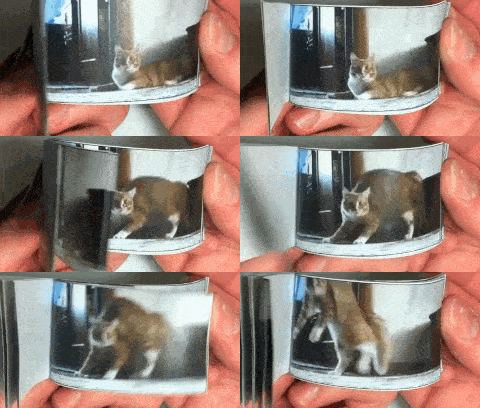
Do you want to convert your favorite GIFs to flipbooks? If so, I have shared a simple method to convert animated GIFs to flipbooks here. Many software and apps are available to create flipbooks, but none allow you to turn GIFs into flipbooks.
To convert any GIF to a flipbook, I will use Gifprint, a free website that magically turns your favorite GIF into a flipbook that you can download as a PDF. Then, you can print this PDF and use it to create a flipbook.
Convert GIF to Flipbook Easily — Step-by-Step Guide
The best part of using Gifprint is that you don’t have to create an account to convert GIFs to Flipbook. Before moving ahead, ensure the GIF quality is up to the mark to ensure that your flipbook experience isn’t affected by it.
You can use any of these GIF speed changer websites to either speed up or slow down your animated GIFs.
Follow these 3 simple steps to turn any GIF into a flipbook in minutes.
Step 1: Visit Gifprint and upload the GIF you want to turn into a flipbook. You can specify a URL, and the tool automatically pulls the GIF from the source.
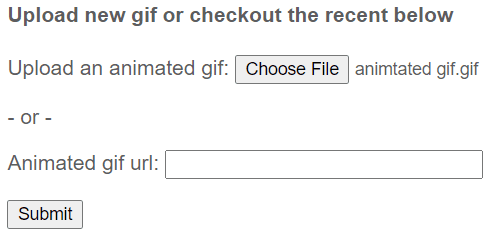 Step 2: After specifying the GIF source, click the Submit button. Now, you will see a processing window. The tool takes around 30-40 seconds to process a GIF. It might take longer because it depends on the GIF you convert.
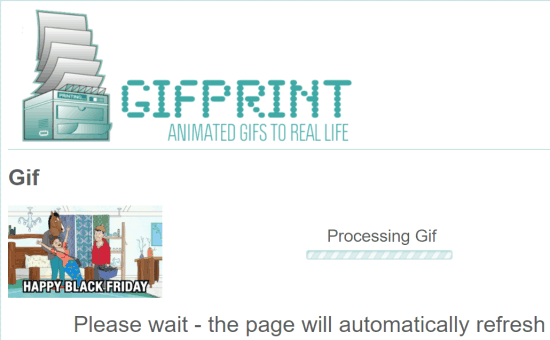
Don’t close the tab until the processing is finished.
Step 3: Once Gifprint has been processed, you will see GIF frames and the option to view them and download them as a PDF file.
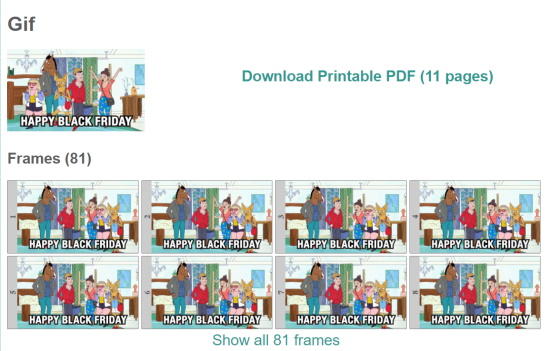
Download the PDF by clicking on the Download Printable PDF. Moving ahead, take a printout of this PDF file and cut all the frames.
Congratulations! You have successfully converted your GIF to a flipbook. After you finish these steps, your flipbook might look like the one at the beginning of this tutorial.
Closing Thoughts
With the method explained in this tutorial, you can turn any of your GIFs into a flipbook. The best part is that the website accurately extracts all the frames so that you can easily use them to create a fantastic flipbook.
So what are you waiting for? Check out Gifprint now and share which GIF you converted into a flipbook. Also, if you know of any other tool that does this job more effortlessly, share it in the comments section below.
About Himanshu Tyagi
At CodeItBro, I help professionals, marketers, and aspiring technologists bridge the gap between curiosity and confidence in coding and automation. With a dedication to clarity and impact, my work focuses on turning beginner hesitation into actionable results. From clear tutorials on Python and AI tools to practical insights for working with modern stacks, I publish genuine learning experiences that empower you to deploy real solutions—without getting lost in jargon. Join me as we build a smarter tech-muscle together.