10 Best Music Player with Lyrics Software for Windows

Our guides are based on hands-on testing and verified sources. Each article is reviewed for accuracy and updated regularly to ensure current, reliable information.Read our editorial policy.
Here, we have compiled a list of the 10 best music players with lyrics for PC. These players allow you to get live lyrics while you play songs.
So, if you like to sing along while listening to your favorite music, you will love these music players for Windows. The best part is that they offer a modern user interface; some are compatible with Linux and macOS.
Have you observed the song lovers who sing along with the music or song? They tend to get engrossed in the melody and the music, and at times, they don’t mind forgetting the lyrics to the song.
But what if they had music players that displayed the lyrics so they could enjoy the song to its fullest?
10 Best Music Players with Lyrics for PC
Here’s what many music player software with lyrics do:
- Display synchronized lyrics for your music
- Fetch the lyrics from an online database of songs
- Display lyrics as a separate component in the desktop bar – distraction-free viewing of lyrics, while you can still be doing certain other activities on your PC
- Permit display settings so you can customize the appearance of the lyrics
- Saving song lyrics in an external file
- At times, edit song lyrics and write lyrics in the music tag
These features make the entire software more intriguing, don’t they? Let’s explore some of the best music players with lyrics for PC.
1. GOM Audio
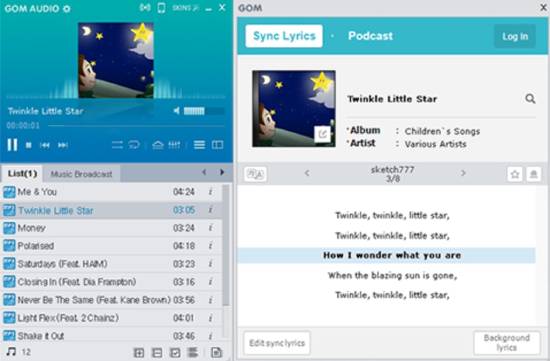
GOM Audio is a renowned music player with playlist support, an equalizer, and a visualizer. The lesser-known fact is that GOM Audio has a lyrics feature that helps display them while the song is being played.
The lyrics display in desktop mode, allowing you to continue regular tasks while working on the PC.
The software also includes add-on features for editing the display preference (such as keeping it transparent), the color, and the font settings.
If the song’s lyrics are available in a .lrc file, they can be added to be synchronized with the music. You can use the software to add the lyrics manually and synchronize them with the song’s track.
Get this music player with lyrics here.
Also Read: 6 Best WiFi Analyzer Software for Windows
2. Mp3nity
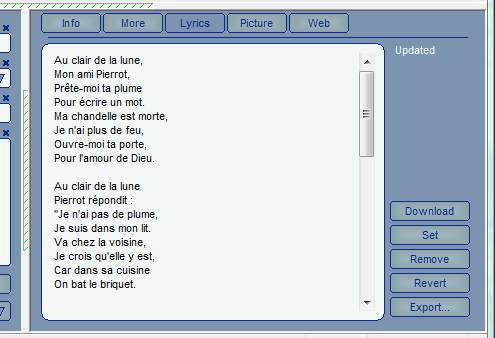
Mp3nity can be another music player to get the associated lyrics displayed in a separate segment of the player software. Exporting the lyrics to an external text file is easily achievable in Mp3nity.
The song lyrics are mostly taken from online web servers, and the software keeps trying until it finds the right one. An acclaimed feature of this software is the album art grabbing and batch audio tag editing—you can efficiently manage the music files’ metadata.
Get this music player with lyrics here.
3. ALSong
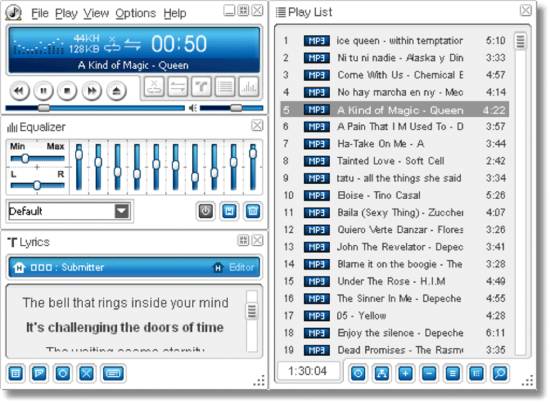
ALSong is another music player software for Windows that displays the lyrics in a distraction-free mode on the desktop bar. You can enable this mode separately. When the song is not tagged with a lyric, it can be prompted to check the online databases.
The software’s ‘Sync Song Lyrics Editor’ also allows for adding lyrics through manual editing and synchronizing.
Interestingly, the software has translation and pronunciation assistance for lyrics in other languages (besides English).
Get this music player with lyrics here.
Also Read: 5 Best Drive Icon Changer Software for Windows 10
4. Zortam Mp3 Media Studio
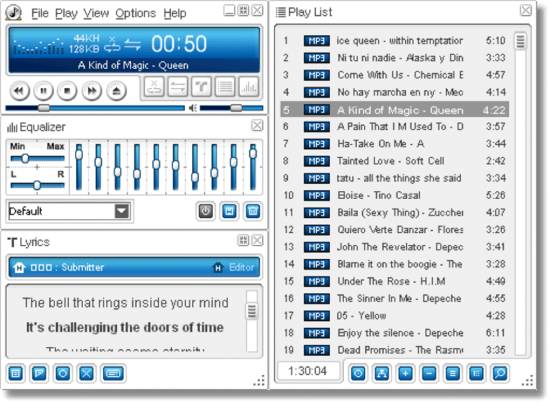
Zortam Mp3 Media Studio, like the other music player software we have seen, displays the tagged lyrics of a song and the artist’s information when it is played on the software.
Additionally, the music player software gives the flexibility of saving the lyrics into a metadata file.
Other add-on capabilities of editing the ID3 tags in the songs, normalizing the track’s volume, and fetching cover art from the albums are possible here.
The only disadvantage is that the application’s usage is limited to MP3 files (as the name suggests).
Get this music player with lyrics here.
5. Jaangle
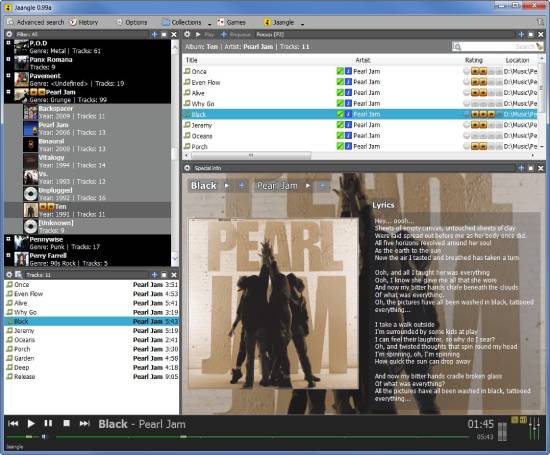
Try the Jaangle music player for simplified functions of displaying the lyrics tagged to the music track.
This user-friendly application offers a music player’s basic functionalities and specific features such as organizing the tracks in collections and volume equalizing.
Jaangle also displays the artist’s picture, artist biography, and the album picture on the song’s screen with the lyrics information.
Get this music player with lyrics here.
6. Lyrics Finder
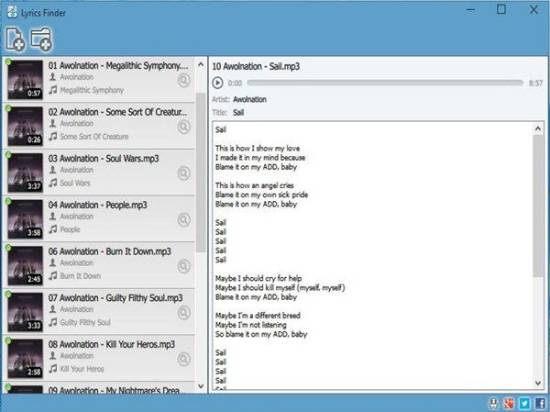
This music player application can easily replace your regular music application. It offers all the expected functionalities, with the specific feature of displaying lyrics.
You can efficiently control the display of lyrics, font, and size. As the name suggests, the application can find the lyrics for music tracks online.
Get this music player with lyrics here.
7. MeaModPlayme
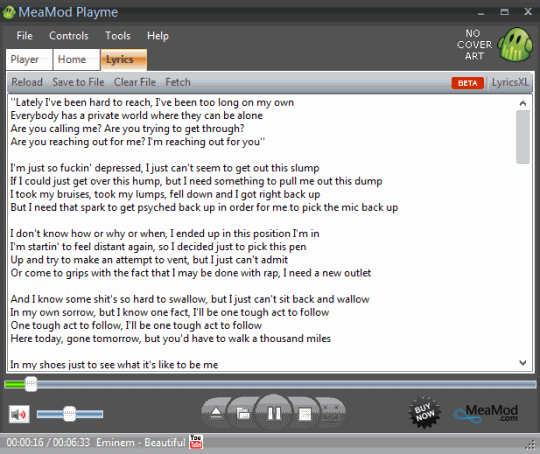
Get this efficient music player with lyrics display software to play the tracks and display the lyrics in a separate application tab.
If the song lacks an associated lyric, you can use the ‘fetch’ option to connect online and retrieve the lyrics. This music player application also allows you to copy the lyrics to an external text file.
Get this music player with lyrics here.
8. Amarok
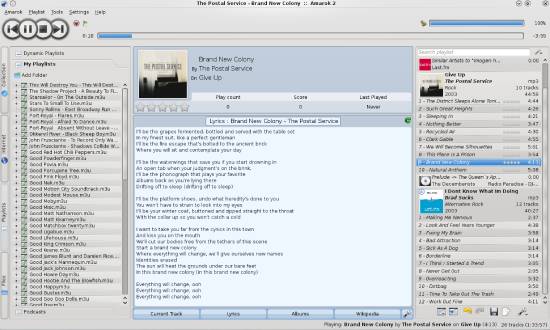
Amarok is an exciting and intuitive music player application for many operating systems. The lyrics are displayed on the same screen as the music player application, and the display settings (font and alignment) can be edited.
It initially throws up a ‘Lyrics Not Found’ message for missing lyrics, but the application lets you add them manually. Basic music player features of the equalizer, cover manager, and playlist manager remain intact.
Get this music player with lyrics here.
9. Clementine
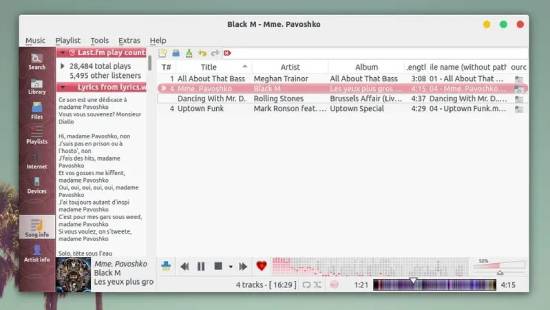
Clementine is another music player software that can be installed on different OSs. Its features include managing playlists, organizing music, and displaying the lyrics of music tracks.
Various online sources, like lyrics.com and lyrics.wikia.com, fetch the lyrics to display on the application.
The song metadata, such as ‘Written By,’ ‘External Links,’ ‘Artist Information,’ etc., and the album’s lyrics are displayed. Choose the Windows version for download and installation.
Get this music player with lyrics here.
10. Musique
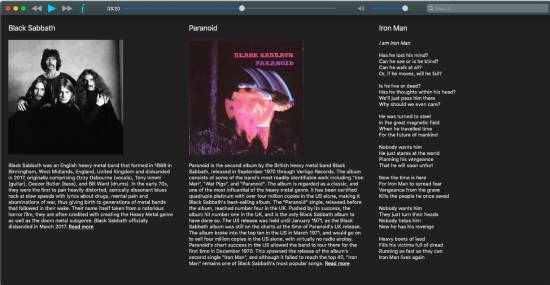
A good user-experience music player can be found in Musique, and the free lyrics display when the songs are playing.
The music player lets you import collections into the application’s playlists, and you can play them while displaying lyrics. The artist’s information is also shown along with the lyrics.
Get this music player with lyrics here.
Verdict
We summarize our list of the 10 best music players with lyrics for PC. Use these music players to see the lyrics of songs you listen to. My favorite music players from this list are GOM Audio, Lyrics Finder, and Musique. Subscribe to our newsletter to receive such posts straight to your inbox.
About Himanshu Tyagi
At CodeItBro, I help professionals, marketers, and aspiring technologists bridge the gap between curiosity and confidence in coding and automation. With a dedication to clarity and impact, my work focuses on turning beginner hesitation into actionable results. From clear tutorials on Python and AI tools to practical insights for working with modern stacks, I publish genuine learning experiences that empower you to deploy real solutions—without getting lost in jargon. Join me as we build a smarter tech-muscle together.