5 AI UGC Ad Generators Reviewed: Which One Is Right for You?

Our guides are based on hands-on testing and verified sources. Each article is reviewed for accuracy and updated regularly to ensure current, reliable information.Read our editorial policy.
Spoiler: the tools below cut costs and speed up your ad testing. They’re worth a look.
User‑generated content isn’t a niche anymore — it’s the backbone of performance advertising. Growth teams have realised that short, personal clips outrank glossy commercials. Data from TikTok’s creative centre and Reddit marketing threads consistently show that creator‑style ads outperform polished brand spots.
Part of that authenticity starts before the video — a believable creator handle matters too. A username generator can help you quickly spin up persona ideas for TikTok or Shorts accounts.
Modern buyers trust real voices. Algorithms on TikTok, Meta, and YouTube Shorts push native‑looking videos to the top. In 2026, AI tools will make those videos quickly and cheaply. Instead of chasing creators or waiting weeks for edits, marketers now spin up dozens of UGC variations in minutes.
This post is my real take on the best AI UGC ad generators on the market today. I’ve tested each one, read up on public sentiment, and dug into pricing.
I’ll flag the upsides and the catches. If you’re a marketer or developer looking for high‑velocity creative testing, this breakdown will save you hours. Ready? Let’s get into the top picks.
#1 AdGPT UGC Creator
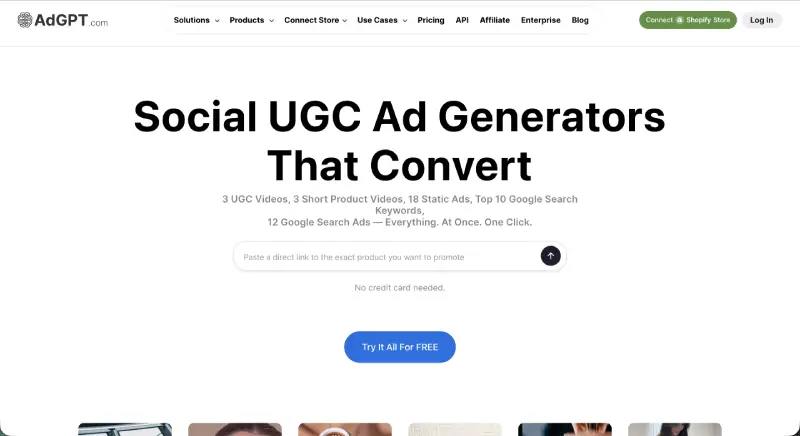
AdGPT calls itself a performance engine, not a video editor, and that’s accurate. It’s built around conversion psychology — hook testing, offer messaging, and CTA optimization — rather than eye‑candy edits. When I feed it a product URL or offer, it spits back multiple script variations and ready‑to‑upload vertical videos. That’s huge if you’re scaling paid social.
Here’s what you get:
- Automatic scripts: AdGPT generates UGC‑style scripts based on product data. I’ve seen it pull product benefits and pair them with short, snappy hooks. Saves me from staring at a blank page.
- AI actors: It renders human‑like presenters delivering the script. The lip‑sync and micro‑gestures look surprisingly real — my client’s creative director even asked which influencer we used.
- Multi‑variation outputs: Need five different angles? It can churn them out in one pass.
Pricing starts around $49 per month, with usage‑based scaling. That’s roughly the cost of a single human influencer clip, and you get unlimited retakes. It integrates with Shopify, so you can push creatives straight into your store’s campaigns.
It integrates with Shopify, so you can push creatives straight into your store’s campaigns — and pairing those links with a QR code makes it easy to bridge offline and on-platform traffic.
That said… there are limits. AdGPT isn’t meant for cinematic storytelling or long YouTube documentaries. If your brand needs high‑end commercials, you’ll still hire a production team. But for rapid A/B testing and conversion‑focused campaigns, it’s hard to beat.
I use AdGPT when I’m running big paid pushes. If you manage multiple SKUs or test hooks regularly, it’s worth trying. Check out their free trial and see how it fits your workflow.
Once your creatives are live, make sure the page they’re driving traffic to is just as optimized. AI landing page builders can close that loop fast.
Suggested Read: Arcads AI Review: Is This the Secret to Viral UGC Ads?
#2 Creatify
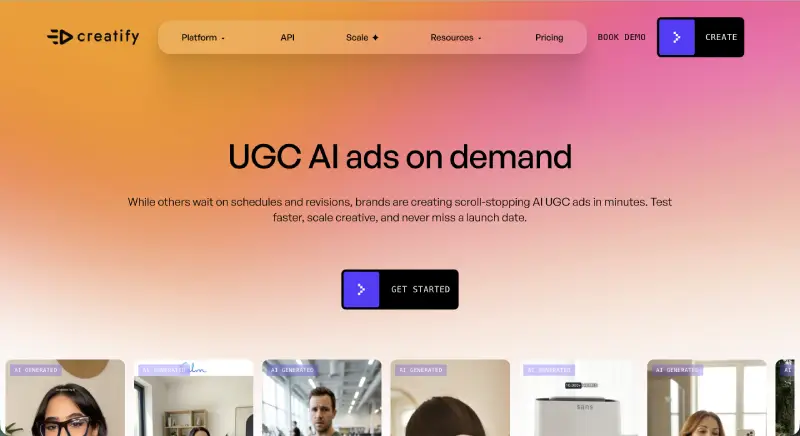
Creatify is the speed demon of this list. Paste a product page URL and watch as it extracts the selling points, writes a script, and generates an AI‑hosted video. No fiddling with lines or scene direction. It’s practically “URL‑to‑ad” automation.
Here’s Creatify’s promise:
- URL‑driven workflow: You drop a landing page link and it automatically identifies features and benefits. It reminds me of scraping competitor landing pages for copy — only it builds a whole ad.
- AI avatars with voiceovers: The avatars aren’t as photorealistic as AdGPT’s, but they look like real people and deliver your script believably.
- Batch generation: You can create multiple ad variations at once. Perfect for testing hooks and angles.
Plans start at about $39 per month. It’s geared toward fast‑moving ecommerce teams and dropshippers who need creatives yesterday. I appreciate the no‑fuss onboarding — there’s almost zero learning curve.
That said, it feels templated. Because Creatify pulls from your URL, the messaging can sound formulaic. You can edit the script, but heavy customization defeats the speed advantage. For simple product demos and quick social ads, it’s brilliant. For nuanced brand storytelling, you might feel boxed in.
Creatify is great when you’re launching a new product and need ads fast. Give it a go for your next product drop. It’s usually the first tool I fire up when time is tight.
#3 HeyGen
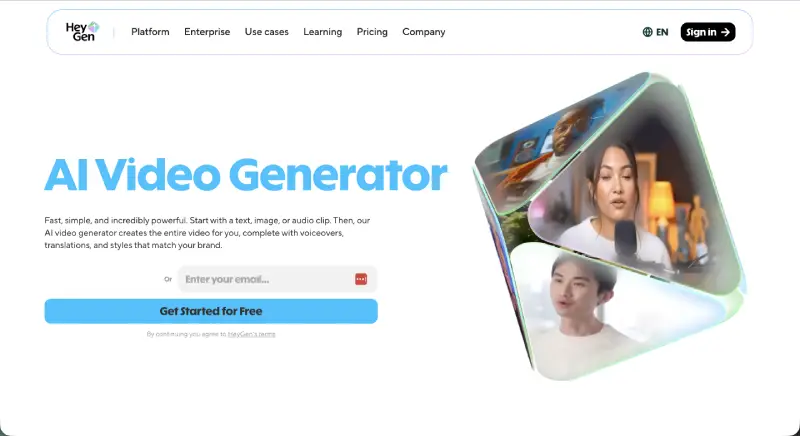
HeyGen was one of the earliest avatar video tools, and it shows in its polish. The platform shines with localization and voice options. Need your ad in German tomorrow? No problem. HeyGen supports over 175 languages and dialects.
Here’s what impressed me:
- Realistic avatars: HeyGen’s characters are lifelike and can mimic different presentation styles. The lip‑syncing is smooth, and the facial expressions feel natural.
- Voice cloning and translation: You can clone your own voice or use one of the built‑in voices to localize scripts. Videos can be automatically translated and lip‑synced, which saved me hours when we ran multilingual campaigns.
- Flexible formats: It outputs vertical and horizontal videos and lets you adjust duration.
The Creator plan is $29 per month and includes unlimited videos up to 30 minutes. There’s also a Pro plan at $99 per month with 4K exports and faster processing. I usually stick with the Creator plan unless I need 4K. The free tier lets you test the water with one video a month.
That said… HeyGen’s videos can feel slightly less raw than homemade clips. They look polished, which is a plus for brand control, but can come across as “too perfect” on TikTok. And if you crave chaotic authenticity, you may find yourself adding imperfections manually.
CTA: If you’re marketing across borders or need to localize quickly, HeyGen pays for itself. I’ve used it for multilingual product launches and had good results. Try the free version — you’ll see the power of their avatars.
#4 MakeUGC
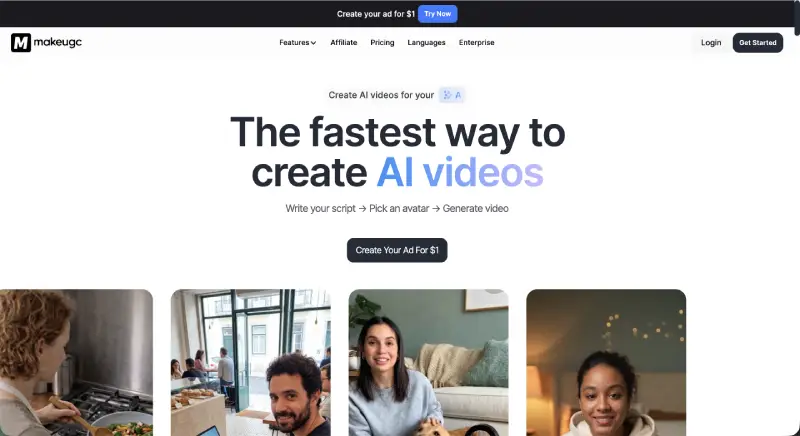
MakeUGC positions itself as the entry‑level gateway to AI UGC. It’s script‑to‑video with a simple interface. You write your script (or use their generator), pick from a library of AI actors, and hit render. It spits out short, vertical videos optimized for TikTok, Meta, and Shorts..
What I like:
- Ease of use: There’s almost no learning curve. I wrote a few lines, selected an avatar, and had a usable video within minutes.
- Budget pricing: The Start Up plan costs $49 per month for five AI‑generated videos. That’s cheaper than one human UGC creator on Fiverr. There are also Growth ($69) and Pro ($119) plans that bump up your monthly video allowance.
- Large actor library: The platform offers over 300 AI actors and supports 35 languages, so you can find a persona that matches your brand.
MakeUGC’s downside is depth. The scripts are basic and the creative options are limited. You won’t find robust editing tools or extensive CTA frameworks. It’s a starter tool — good for small shops and solo marketers dipping a toe into AI video.
I recommend MakeUGC for side projects and first campaigns. The $1 trial lets you test it cheaply, and the monthly plan scales when you’re ready for more content. Try it if your budget is tight and you need to move fast.
#5 UGCAds.ai
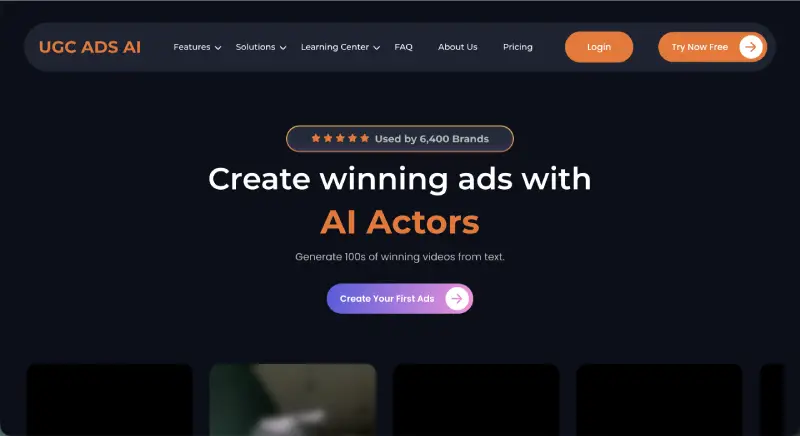
UGCAds.ai is built for volume. Agencies and enterprise brands use it to pump out dozens of ad variants in parallel. It’s the closest thing to an assembly line for UGC ads — you feed in scripts and offers, and the tool generates multiple outputs at once.
Here’s why it stands out:
- Huge creator library: There are hundreds of AI actors and numerous editing styles. I rarely repeat the same face twice.
- Bulk generation: It allows you to produce dozens of videos simultaneously. This is ideal for agencies managing multiple clients and campaigns. If you’re running an agency billing those clients, a free invoice generator keeps the business side as lean as your creative workflow.
- Multiple export formats: It supports various aspect ratios and platform specifications.
Pricing reflects its scale. The Lite plan at $49.99/month includes 5 rendered videos and 200 AI actors. The Starter plan at $99.99/month doubles the renders and actors, while the Pro plan at $249.99/month offers 50+ renders and 500 actors. There’s a custom plan for larger volumes. Considering agencies often pay hundreds per video when hiring creators, these plans are competitive.
The catch? UGCAds.ai prioritises quantity over nuance. Scripts aren’t optimized by default, and you may need to fine‑tune the messaging manually. If you’re looking for creative variety rather than volume, one of the other tools might serve you better.
If you run an agency or manage multiple ad accounts, UGCAds.ai can free up your team. Use it when you need to test dozens of creatives quickly. The Lite plan is a low‑risk way to gauge how well the platform fits your workflow.
Choosing Your AI UGC Partner
Still unsure which tool to pick? Think about your goals. If you’re running performance campaigns with clear calls to action, AdGPT’s conversion‑focused scripts and multi‑variation engine give you control.
When speed and ease trump customization, Creatify or MakeUGC will get you up and running with minimal friction. Need to localize across markets? HeyGen’s avatar realism and language support are unmatched. And if scale is your problem, UGCAds.ai can churn out creative mass tests.
UGC ads work because they feel real and native to the platforms’ users scroll through. Don’t overthink the polish. Use AI to generate, test, and iterate. Kill what doesn’t work and double down on what does. These tools won’t replace human creativity — they simply speed up the part we all dread: production.
Ready to try AI UGC? Pick one tool and start a small experiment. You’ll learn more in a week of testing than in hours of reading. Let me know what you build.
About Himanshu Tyagi
At CodeItBro, I help professionals, marketers, and aspiring technologists bridge the gap between curiosity and confidence in coding and automation. With a dedication to clarity and impact, my work focuses on turning beginner hesitation into actionable results. From clear tutorials on Python and AI tools to practical insights for working with modern stacks, I publish genuine learning experiences that empower you to deploy real solutions—without getting lost in jargon. Join me as we build a smarter tech-muscle together.