6 Best Sentence Rhyme Generator Websites Online

Our guides are based on hands-on testing and verified sources. Each article is reviewed for accuracy and updated regularly to ensure current, reliable information.Read our editorial policy.
You will find a list of the 6 best sentence rhyme generator websites here. You can figure out rhyming words, phrases, and even sentences using these websites. You must specify a word, phrase, or sentence; these online tools will quickly generate rhymes.
So, if you are stuck while writing your poem or rap, you will find these tools handy. The best part is that these sentence rhyming generator tools are free; you don’t have to sign up to use them. Visit them, generate unlimited rhyming suggestions, and craft a masterpiece yourself.
Previously, we have covered various poem generators such as concrete, limerick, sonnet, and haiku.
These online tools generate poems based on your inputs, and the accuracy is pretty incredible. Don’t forget to check out these tools if you want these rhyming generators to write a poem.
6 Free Sentence Rhyme Generator Sites for Creative Writing
Finding what rhymes with a word or phrase can be tedious for someone not from a literary background.
However, these online tools make getting hundreds of rhyming suggestions easier for everyone. The best part is that these tools suggest rhymes based on syllables.
Now, let’s explore these sentence rhyming generator websites and how to use them to get hundreds of rhyming suggestions.
1. PoemofQuotes
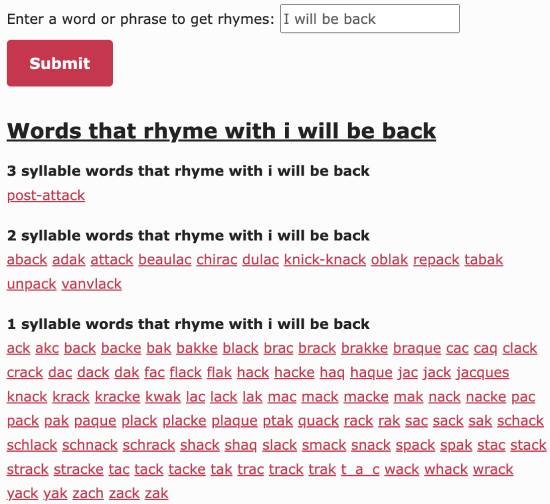
Poem of Quotes is an excellent website that lets you generate rhyming suggestions based on your input words.
Apart from that, you can also use it to generate poems and rap rhymes. It is a free website that includes poem collections of famous writers and their quotes. So, if you are a poetry fan, you will love this website.
Getting started with this rhyming generator tool is pretty straightforward. Visit the website using the link below and specify a word or group of words to get rhyme suggestions.
After that, hit the Submit button, which will generate rhyming suggestions based on syllables, as shown in the screenshot above.
Try this sentence rhyming generator here.
2. Double Rhyme
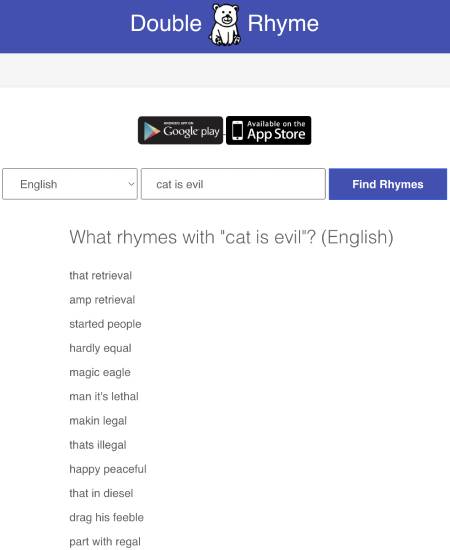
Double Rhyme is another fantastic sentence rhyming generator website. Double Rhyme will do the job perfectly, from generating nursery rhymes to getting rhyming suggestions for your rap.
The best part is that you can use it to find rhyming suggestions for a group of words and even sentences.
Access the tool using the link below and specify your words. After that, hit the Find Rhymes button, and you will get a list of suggestions, as shown in the screenshot above.
The double Rhyme tool is also available for Android and iOS users. So, if you like the tool, you can download its mobile app for quick access and get unlimited rhyming suggestions.
3. Heretical Rhyme Generator
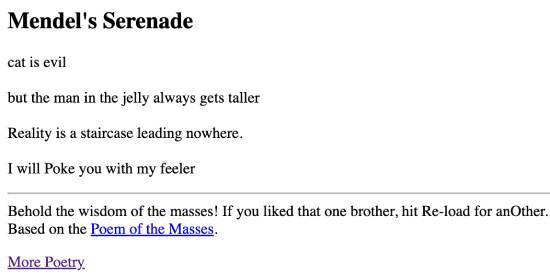
Heretical Rhyme Generator is another free online tool that you can use to generate rhyming sentences.
Although it is not a typical rhyme generator compared to the other tools on this list, you can use it as a poem generator.
All you have to do is provide the first line, and the tool will automatically generate an introductory poem with rhyming sentences, as shown in the screenshot above.
Use the tool below to specify your poem’s first line or sentence. After that, click the “groove” button, and the tool will generate a poem with rhyming sentences.
Try this sentence rhyming generator here.
4. Rhyme Zone
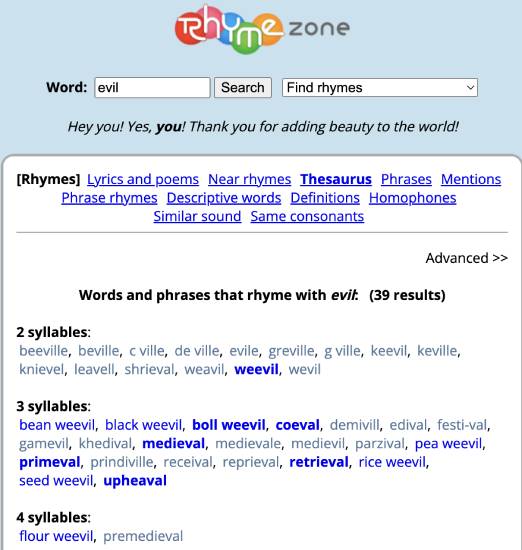
Rhyme Zone is another free website where you can generate rhyming suggestions. You can also use it to create rhymes, synonyms, descriptive words, antonyms, poems, and many other types of literature.
Access the tool using the link below to generate rhyme suggestions for words using Rhyme Zone. After that, specify a word for which you want to know the rhyming words.
Hit the Search button, and the tool will generate a list of rhyming words and display them on its interface, as shown in the screenshot above.
Try this sentence rhyming generator here.
5. Rhymer
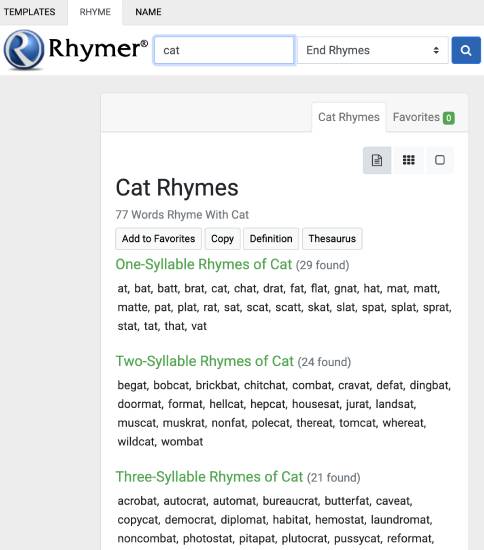
Rhymer is another easy-to-use and straightforward rhyming generator tool on this list. You can use it to generate six rhymes: end rhymes, last syllable rhymes, double rhymes, triple rhymes, beginning rhymes, and first syllable rhymes.
Visit the tool using the link below and input the word. After that, select the rhyming suggestions you would like to get.
Click on the “Search” icon for rhyming suggestions based on the number of syllables, as shown in the screenshot above.
Try this sentence rhyming generator here.
6. Cool Generator
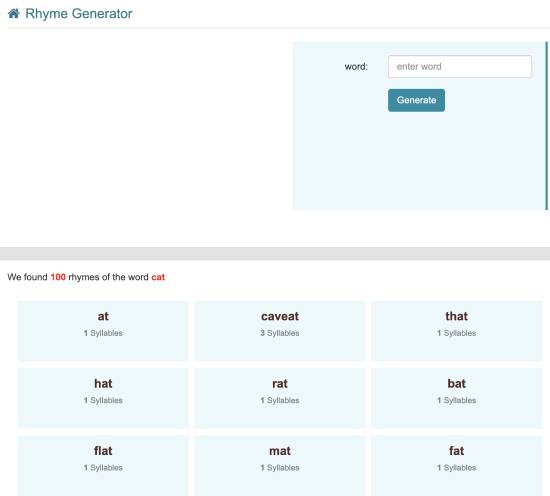
Cool Generator is another free rhyming generator website that can suggest rhyming ideas for any words you want.
Visit the link below and specify the word you want to get rhyming word suggestions for. Once done, hit the “Generate” button and wait a few seconds to get all the rhyming suggestions.
Try this sentence rhyming generator here.
Wrapping Up
This blog explores a list of the 6 best sentence rhyming generator websites. Finding rhyming ideas can be challenging for beginners, but these online tools make it easier to get hundreds of rhyming suggestions for your poem or rap lyrics in seconds.
My favorite tools from this list are Poems of Quotes, Double Rhyme, and Rhymer. Let us know if we missed any of your favorite rhyming generators on this list by writing to us at [email protected].
About Himanshu Tyagi
At CodeItBro, I help professionals, marketers, and aspiring technologists bridge the gap between curiosity and confidence in coding and automation. With a dedication to clarity and impact, my work focuses on turning beginner hesitation into actionable results. From clear tutorials on Python and AI tools to practical insights for working with modern stacks, I publish genuine learning experiences that empower you to deploy real solutions—without getting lost in jargon. Join me as we build a smarter tech-muscle together.