5 Best Apps to Create Music with Virtual MIDI Keyboards

Our guides are based on hands-on testing and verified sources. Each article is reviewed for accuracy and updated regularly to ensure current, reliable information.Read our editorial policy.
Are you aware of the meaning of Virtual Midi Keyboards? They are generally a MIDI event generator and receiver device. They cannot create sound by themselves.
At the same time, individuals can use it to drive the MISI synthesizer in hardware or software terms, internally and externally. You can use the system keyboard to play MIDI notes and the mouse.
With such software, individuals can play several musical instruments directly on their computers. This software mainly focuses on the piano.
It consists of many MIDI files and control programs. Many practical applications help users learn about musical instruments and practice their tunes.
Also Read: 20 Best Free Soundboard Software For Windows
5 Free Virtual MIDI Keyboard Programs for Musicians
The following programs have recording features; you can record your tunes while playing the instrument.
Once completed, you can easily export the recording to your local computer as an audio file.
1. Virtual MIDI Piano Keyboard (VMPK)
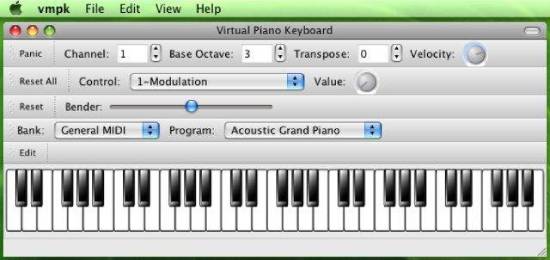
It is free cross-platform software compatible with Windows, Linux, and Mac operating systems. This keyboard, which is based on Qt and Drumstick, allows users to generate MISI notes.
In this keyboard, you will notice that all the keys are projected to the alphabetical keys of a system keyboard. This is beneficial for you to configure according to your requirements and convenience.
Features:
1. The keyboard supports touch devices.
2. The users can position the number of keys for the octaves.
3. This keyboard consists of In and Out MIDI ports. Therefore, you can use it to work with actual hardware.
Get this virtual MIDI keyboard software here.
2. Everyone Piano
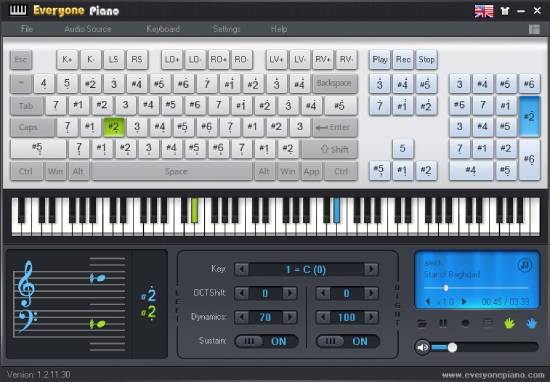
One of the advanced virtual MIDI keyboards is Everyone Piano. This keyboard utilizes the system keyboard for Piano keys, despite having a piano keyboard that visualizes all the input keys.
This keyboard supports key mapping. For more information, please visit the website. Several plugins are available for download.
You can also download themes to help you customize the keyboard’s appearance.
Features:
1. The complete notes are stated on the keys and color-coded to work with both hands.
2. The users can work with this keyboard with their single and both hands for playing purposes.
3. You can easily connect any external keyboard for input purposes. Also, it will help control the complete settings in this program.
Get this virtual MIDI keyboard software here.
3. Free Piano
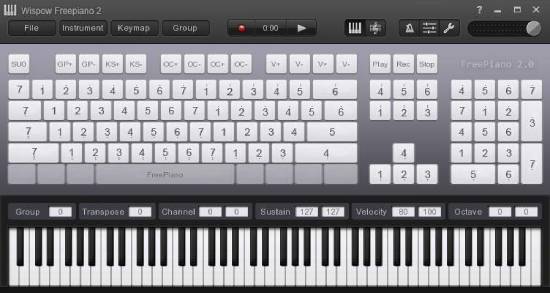
Another open-source software is Free Piano. This software is available for Windows users and has the same user interface as Everyone Piano.
The users can use this keyboard with the help of their computer keyboard and the Piano keys, which are displayed on the interface.
Features:
1. This keyboard works well with VSTi, which is good to hear, as you don’t need to install any virtual MIDI program.
2. Free Piano supports different audio outputs, for example, DirectSound, WASAPI, and ASIO.
3. The users are free to address the hotkeys. This will be beneficial for quickly switching between different options and keyboard layout variations.
4. This keyboard comes with a built-in recorder. This will be beneficial for recording and exporting your tunes into an MP4 file format.
Get this virtual MIDI keyboard software here.
Also Read: 5 Best Free Dubstep Making Software for PC
4. MIDI Piano
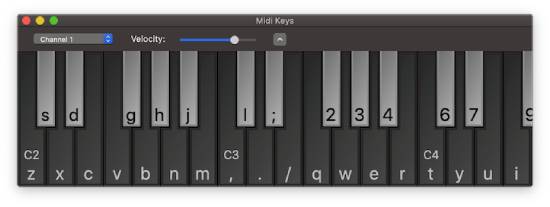
Another free keyboard software is MIDI Piano. This is easy software that anyone can understand.
Features:
1. This keyboard allows users to create a sequence of Piano notes using a Piano roll feature. The sequence can be edited without any problem.
2. The individuals can find a scrollable bar from which they can easily switch the octaves without trouble.
3. Easy to configure the hotkeys to switch between different settings and specifications of this keyboard.
4. You can record your tune with this keyboard. The only disadvantage is that no export feature is available.
Get this virtual MIDI keyboard software here.
5. Piano Time by Revel Software
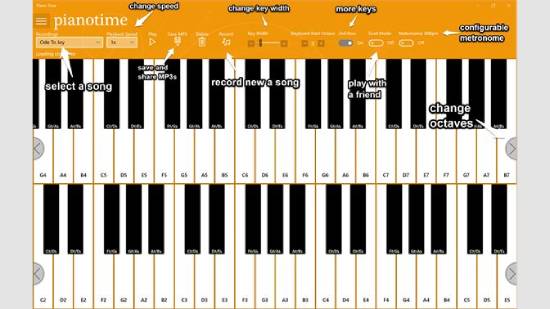
The users need a dedicated environment for experimenting and playing with piano parts. They can choose this Piano time by Revel Software, which is utterly suitable for your choice. This is based on Windows, which consists of 36 onscreen keys.
Features:
1. It contains selectable octaves.
2. Plenty of features like a metronome and unlimited options to record the tunes and playback. The recordings are stored in MP3 file format.
3. The users are free to customize the appearance and look of the application.
Get this virtual MIDI keyboard software here.
Wrapping Up
Here, we have shared a list of the 5 best virtual MIDI keyboards. You can use any of these virtual MIDI keyboard software for Windows to play with many musical instruments, sounds, and MIDI files. My favorite tools from this list are VMPK and Everyone Piano.
About Himanshu Tyagi
At CodeItBro, I help professionals, marketers, and aspiring technologists bridge the gap between curiosity and confidence in coding and automation. With a dedication to clarity and impact, my work focuses on turning beginner hesitation into actionable results. From clear tutorials on Python and AI tools to practical insights for working with modern stacks, I publish genuine learning experiences that empower you to deploy real solutions—without getting lost in jargon. Join me as we build a smarter tech-muscle together.