Calendar in Python: How to Display Monthly and Yearly Calendars

Our guides are based on hands-on testing and verified sources. Each article is reviewed for accuracy and updated regularly to ensure current, reliable information.Read our editorial policy.
In this tutorial, you will learn how to display a calendar in Python. To display a calendar in Python, we can use an in-built module named calendar. The Python calendar module provides numerous methods for working with dates and calendars.
We can use it to display a whole-year calendar, a specific month calendar, or even retrieve the day of the week for a particular date.
Calendar in Python — Print Month and Year Calendar with Examples
- We will first import the Python calendar module using this statement:
import calendar - Next, we will define the year variable and initialize it with the value corresponding to the calendar we wish to display.
- In this final step, we will use the calendar.calendar(year) function to display the calendar.
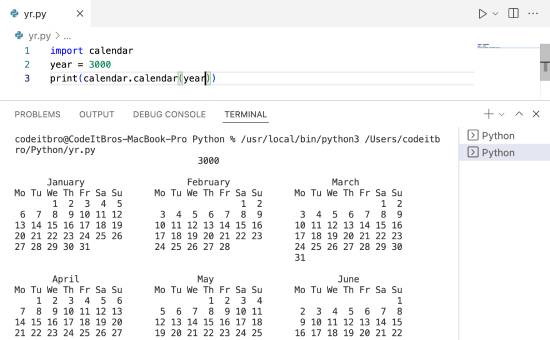
Here’s the code for the Python program that displays a calendar for a specific year.
Code:
import calendar
year = 3000
print(calendar.calendar(year))
Output:
Also Read: Python Glossary: 150+ Key Terms and Definitions Explained
Displaying Calendar of a Specific Month in Python
Now, we will see how to display a calendar of a specific month in Python.
- Again, we will import the calendar module as in the previous example.
- We will initialize two variables with year and month values.
- In the final step, we will display the calendar.month(year, month) method.
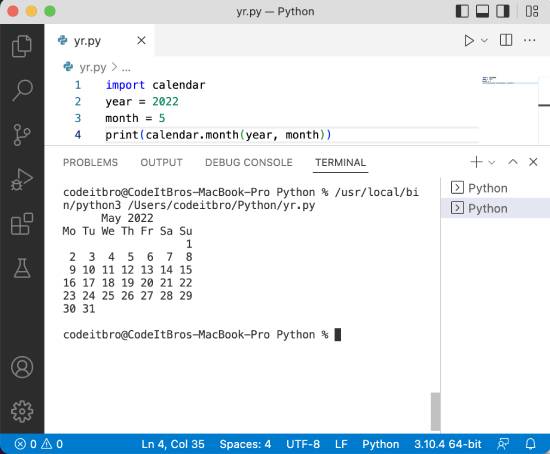
Here’s the Python code to display a calendar for a specific month.
Code:
import calendar
year = 2022
month = 5
print(calendar.month(year, month))
Output:
Also Read: 60 Best Hilarious and Funny Python Programming Memes
Find the Name of a Month From a Number
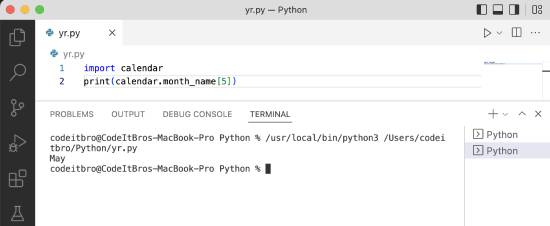
In this Python program, we will learn how to determine the name of a month from a given number. For example, for the number 6, we should get the name of the sixth month (June) in the output.
- Import the Python calendar module.
- Use the calendar.month_name[value] to get the month’s name.
Here’s the code for your reference.
Code:
import calendar
print(calendar.month_name[5])
Output:
Get Current Year
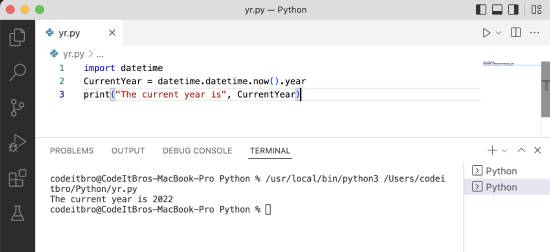
In this example, we will use the datetime Python module to get the current year from the local system.
- Import the datetime module using this statement:
import datetime - Initialize the CurrentYear variable with the current year’s value using the datetime.datetime.now().year function.
- Display the CurrentYear variable using the print() statement.
Code:
import datetime
CurrentYear = datetime.datetime.now().year
print("The current year is", CurrentYear)Output:
Python calendar.weekday() Method
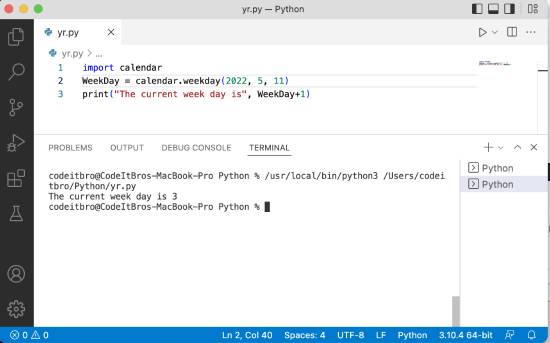
You can use the calendar.The weekday(year, month, day) method is used to determine the day of the week. 0 is for Monday, 1 is for Tuesday, and so forth.
- Import the Python calendar module.
- Initialize the WeekDay variable to get the current weekday using the calendar.weekday(year, month, day) function.
- Display the current weekday using the print statement.
Also Read: How to Reverse an Array In Python [Flip Array]
Here’s the code for your reference.
Code:
import calendar
WeekDay = calendar.weekday(2022, 5, 11)
print("The current week day is", WeekDay+1)Output:
Also Read: How to Check If Dict Has Key in Python [5 Methods]
Get the Day of the Week for a Specific Date
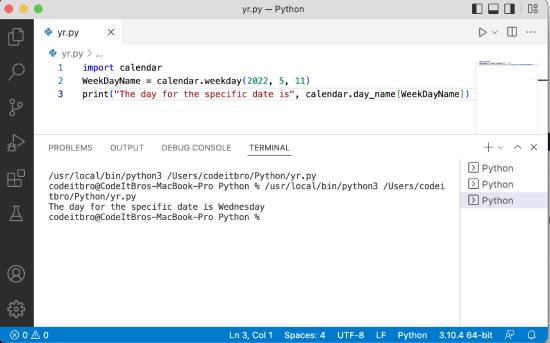
In this Python example, we will see how to get the day of the week for a specific date. For this, we will use the calendar.weekday function to get the current weekday, and then calendar.day_name[argument] to print the day of the week.
- Import the calendar Python package.
- Initialize WeekDayName with the calendar.weekday(year, month, day) function to get the current weekday.
- Print the day of the specific date by using the calendar.day_name[WeekDayName] function.
Here’s the code for the Python program that determines the day of the week for a specific date.
Code:
import calendar
WeekDayName = calendar.weekday(2022, 5, 11)
print("The day for the specific date is", calendar.day_name[WeekDayName])Output:
Display an HTML calendar in Python
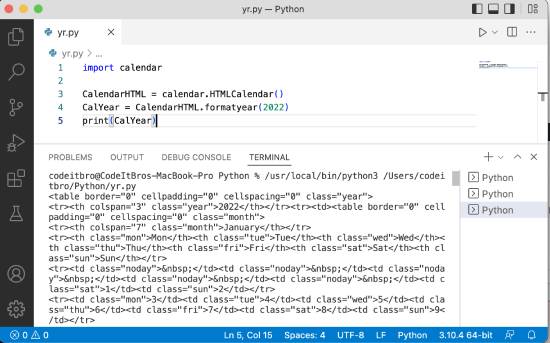
Here we will see how to display an HTML calendar in Python.
- Import the Python calendar module.
- Initialize the CalendarHTML variable using the calendar.HTMLCalendar.
- Define the CalYear variable and initialize it with the HTML code of a specific calendar year using the CalendarHTML.formatyear(year) method.
- Print the HTML calendar using the print(CalYear) statement.
Code:
import calendar
CalendarHTML = calendar.HTMLCalendar()
CalYear = CalendarHTML.formatyear(2022)
print(CalYear)
Output:
Also Read: How To Automate Google Search With Python
Fetch a Specific Day for a Whole Year
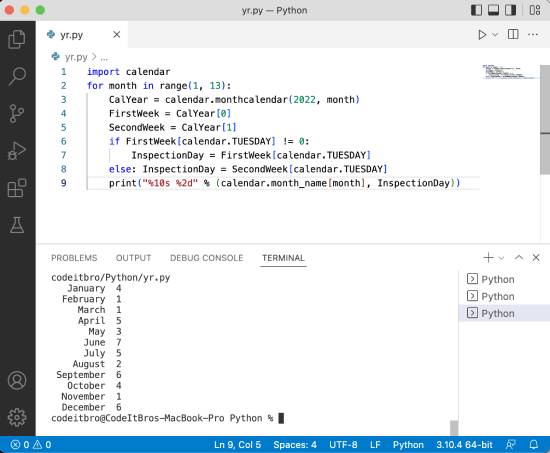
In this Python calendar example, we will learn how to retrieve a specific day for a given year.
Code:
import calendar
for month in range(1, 13):
    CalYear = calendar.monthcalendar(2022, month)
    FirstWeek = CalYear[0]
    SecondWeek = CalYear[1]
    if FirstWeek[calendar.TUESDAY] != 0:
        InspectionDay = FirstWeek[calendar.TUESDAY]
    else:
        InspectionDay = SecondWeek[calendar.TUESDAY]
print("%10s %2d" % (calendar.month_name[month], InspectionDay))Output:
Summary
In this Python tutorial, we explored how to display a calendar in Python. You also learned how to display an HTML calendar, display a calendar for a specific month, retrieve the current year, and explore other examples related to the Python calendar module. Subscribe to our newsletter to receive such articles straight to your inbox.
About Himanshu Tyagi
At CodeItBro, I help professionals, marketers, and aspiring technologists bridge the gap between curiosity and confidence in coding and automation. With a dedication to clarity and impact, my work focuses on turning beginner hesitation into actionable results. From clear tutorials on Python and AI tools to practical insights for working with modern stacks, I publish genuine learning experiences that empower you to deploy real solutions—without getting lost in jargon. Join me as we build a smarter tech-muscle together.